
Using the report
People and installed apps
The two populations the report covers, why they are separate, and what each detail page shows.
The report covers two populations, on two tabs. They are separate because they are reviewed for different reasons by different people, and because conflating them is how installed apps end up never being reviewed at all.
People
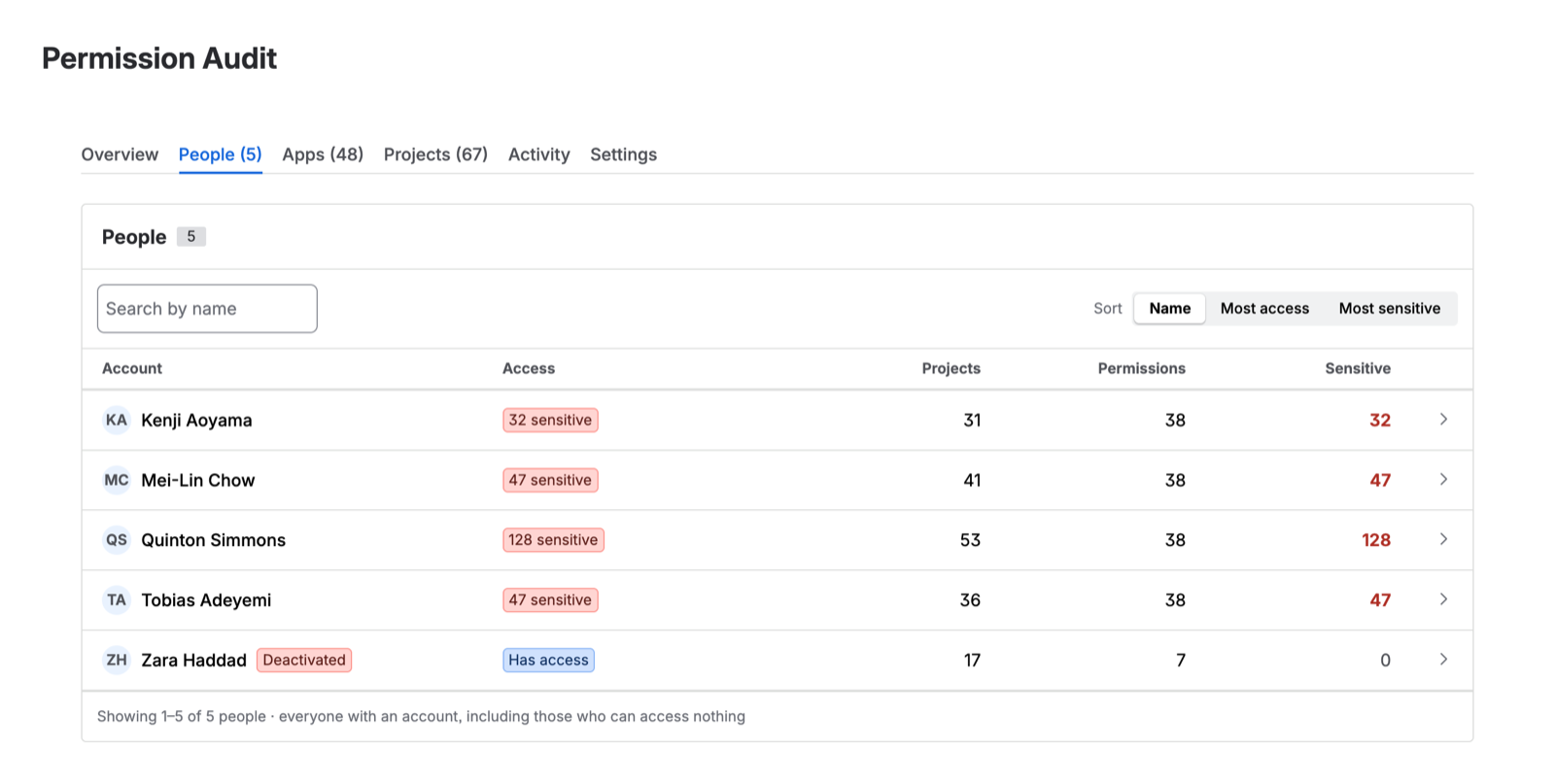
Every human account in your site’s user directory, whether or not it holds any access.
The list is sortable and shows, per account: display name, status, how many projects the account can reach, how many sensitive permissions it holds, and its widest permission.
Accounts with no access
They are in the list, reported as holding nothing. This is the point — it is how you confirm an offboarding worked, spot a licence nobody is using, or establish that a group grants nothing.
“Not in the export” and “confirmed to hold nothing” are different statements, and only the second one is evidence.
Deactivated accounts
Deactivated accounts are included and flagged. A deactivated account that still holds grants is surfaced as a finding on the Overview, because it is usually the residue of an incomplete offboarding: the licence was removed, the group membership was not.
Person detail
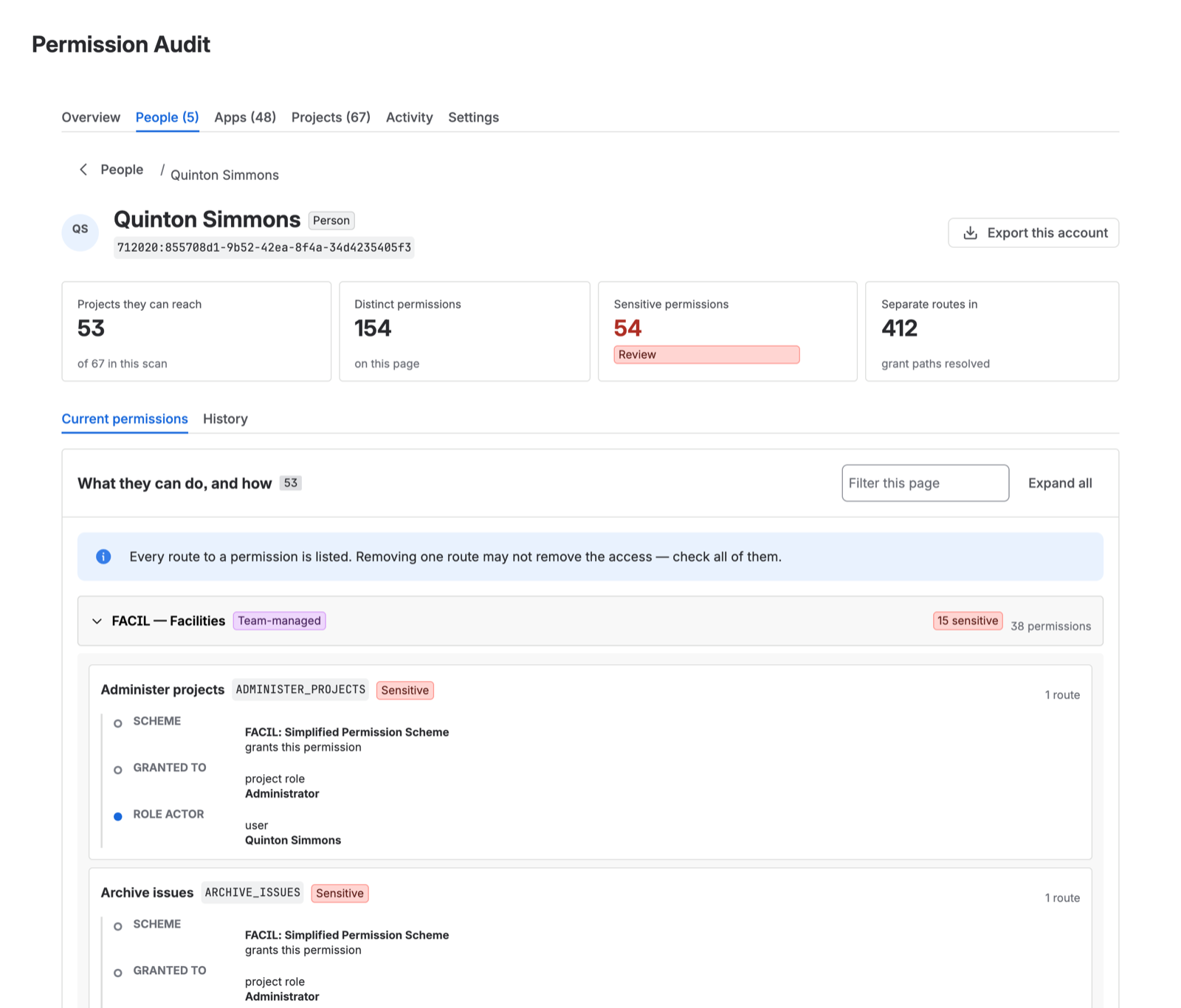
Opening an account shows every project it can reach, every permission it holds there, and the derivation for each grant — including every route when there is more than one.
Installed apps
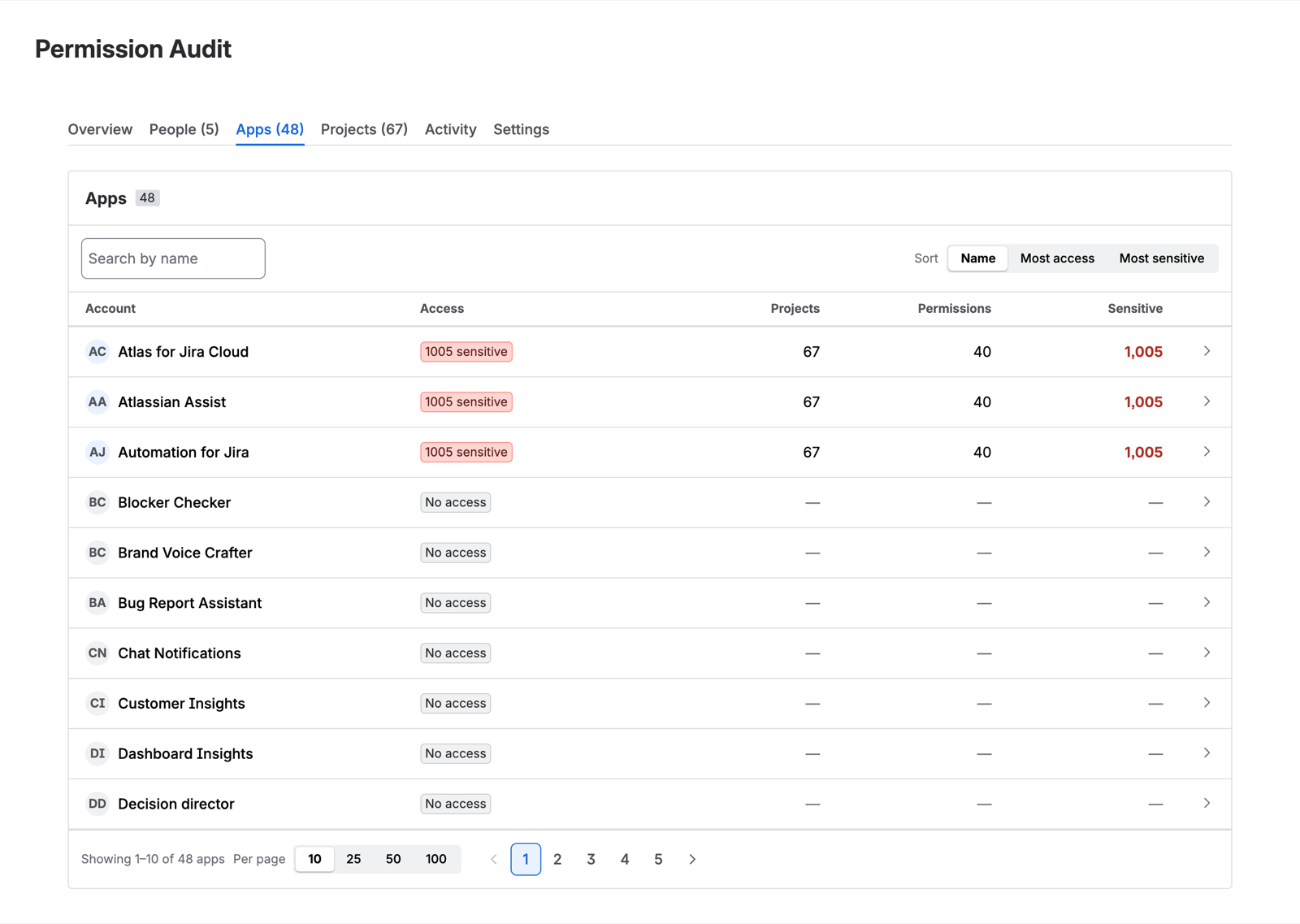
Every Forge and Connect app installed on your site acts under an app principal — a non-human account that holds real product permissions. A typical site has dozens installed, and most access reviews have never examined one.
The Apps tab reports them the same way People does: which apps can act, what they can reach, and how they got it.
Why this is worth your attention
At install, Atlassian places app principals that request admin-level scopes into an administrator group on your site. The practical consequence is that those apps hold Administer Jira — reached through exactly the route people assume is unavailable to a non-human account.
This is standard Atlassian behaviour, not a misconfiguration, and it is not visible anywhere in the Jira UI. It is also precisely the sort of invisible privilege an access review exists to find, which is why the report surfaces it.
It applies to Permission Audit too. The app does not exempt itself from its own report.
What to do with it
The membership that grants apps this access is customer-visible and customer-editable. You can inspect the administrator group, see which app principals are in it, and decide whether each one should be. Removing an app from that group may break the app — that is a decision for you and the app’s vendor, and this report exists to make it an informed one rather than an invisible one.