
Using the report
Projects
The project view, who can reach each project, and how access with no individual to attribute is reported.
The Projects tab inverts the report: instead of “what can this account reach”, it answers “who can reach this project”.
The project list
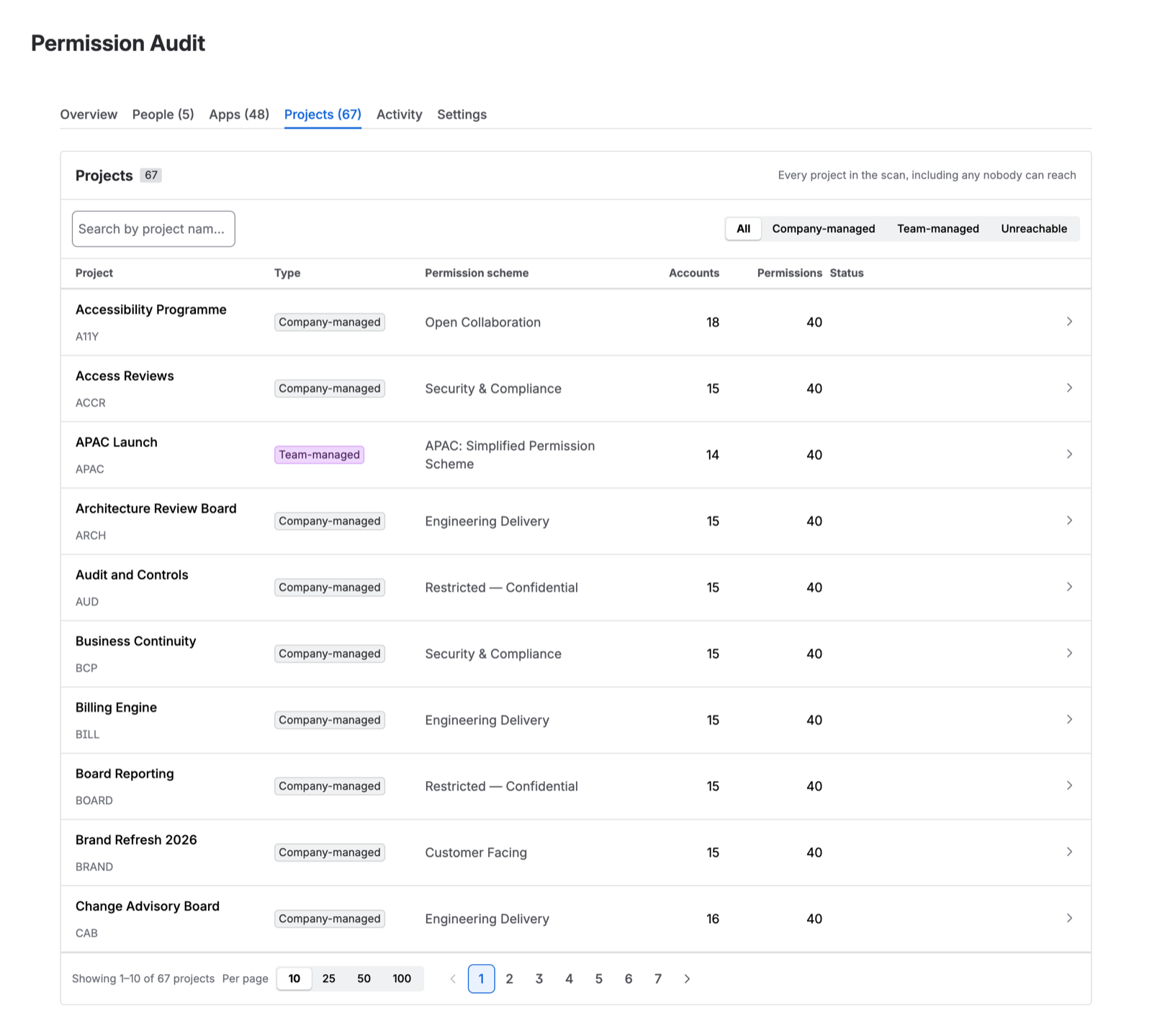
Every project the scan covered, with its style, its permission scheme, how many accounts can reach it, and whether the scan read it completely.
Both project styles are covered. Company-managed and team-managed projects resolve through the same scheme, role, and group machinery underneath, whatever the difference in how they are administered.
Unreachable projects
A project that no account in the directory can reach appears in the Overview count and is flagged here.
It is rarely a bug in the scan. The usual causes:
- the permission scheme grants only to a project role that has no actors
- the scheme grants only to a group that has no members
- the project was created from a template, configured for a team, and then abandoned
Whichever it is, an orphaned project holding data nobody can get to is worth knowing about, and it is invisible from every native screen.
Project detail
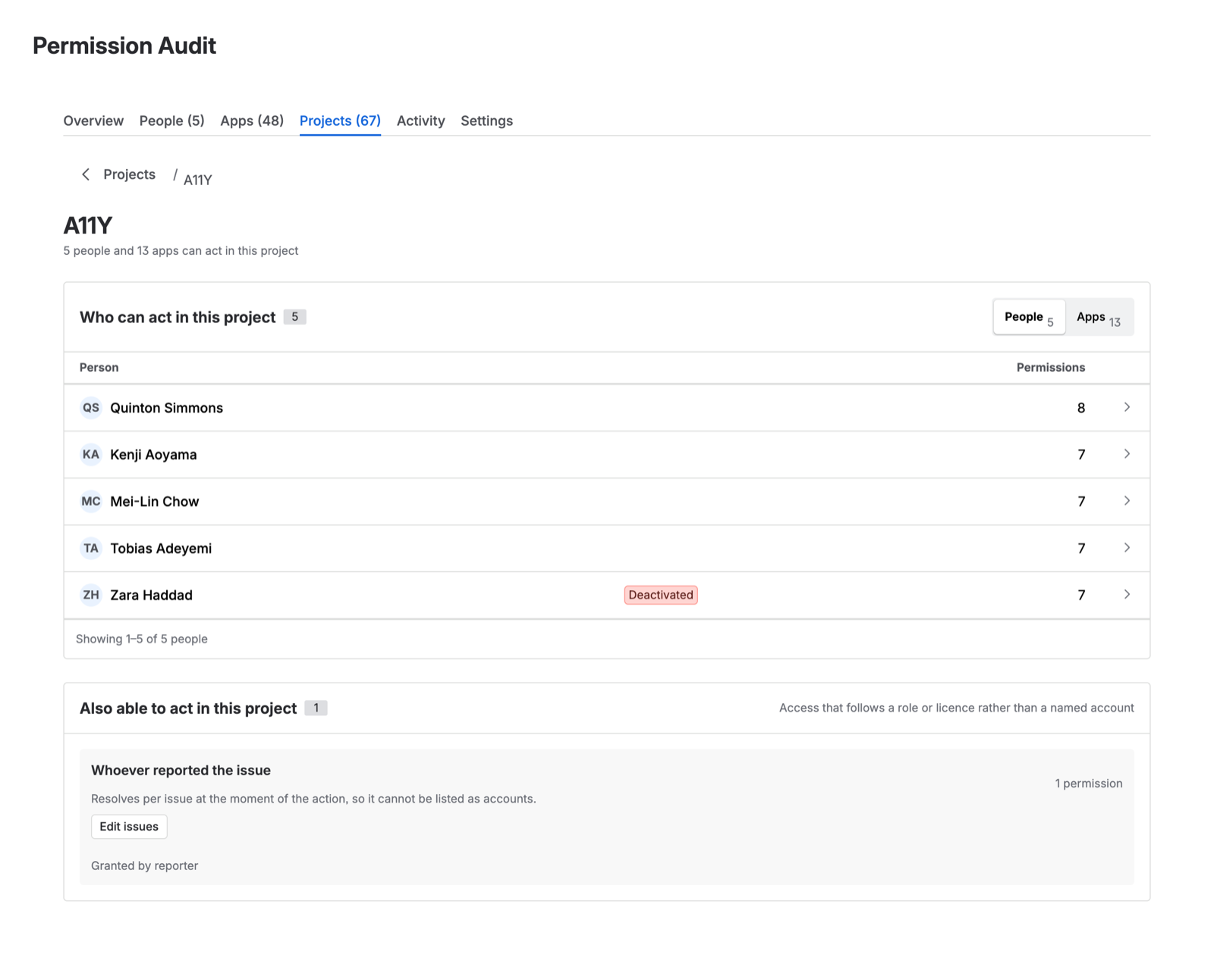
Opening a project shows every account that can reach it and what each one holds, with the same derivation as the person view — read from the project’s side.
Access grouped by holder
Some grants do not resolve to named individuals. A permission scheme can grant to a class of people rather than to an identity:
- anyone with a Jira licence — an application-access grant
- whoever is assigned the issue, or whoever reported it — grants conditional on issue state, not on identity
- anyone on the site, where a project is configured for open access
Project detail groups these by holder rather than trying to expand them into a list of accounts. “Everyone with a Jira licence” is shown as one row saying exactly that, because enumerating it would be both enormous and misleading — the set is defined by licensing, not by the permission model, and it changes whenever a licence is assigned.
Reading it for a review
For a project-level access review, the two things worth checking are:
- Who holds the administrative permissions, and whether each of them should. This is where the derivation matters — a name you did not expect usually arrived through a group somebody added them to for an unrelated reason.
- What the class-based grants actually open up. “Anyone with a Jira licence can browse this project” is a legitimate configuration for an internal project and a serious finding for one holding regulated data. The report tells you it is the case; only you know which it is.